Your brand on every invoice
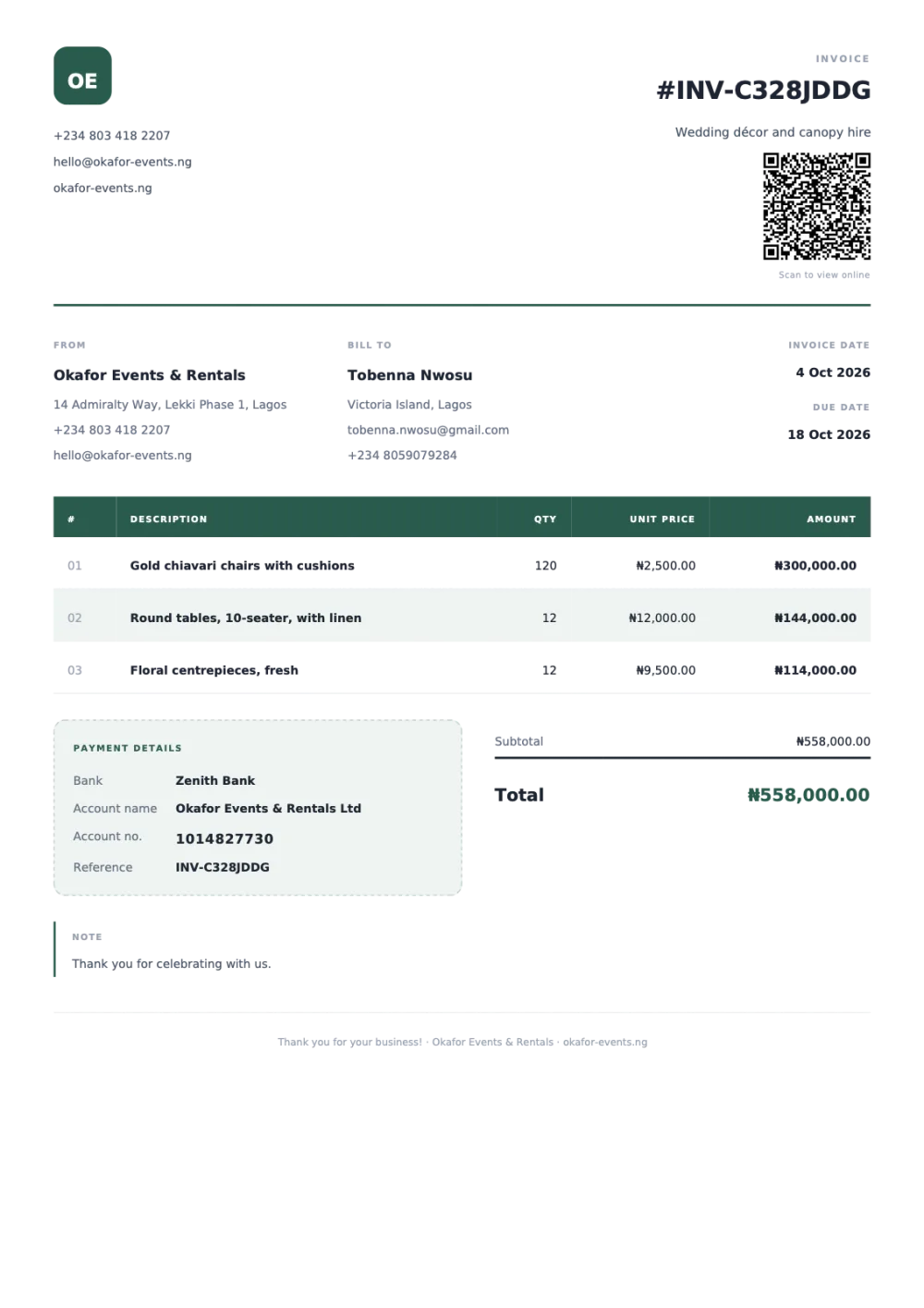
Logo, business details, signature and bank details, laid out on a clean A4 PDF your customers can trust.
Cobbo Invoicing
Create a branded invoice, send it on WhatsApp or as a PDF, and see at a glance who has paid and who still owes. Built for businesses that would rather be working than chasing paperwork.
Already using it? Log in
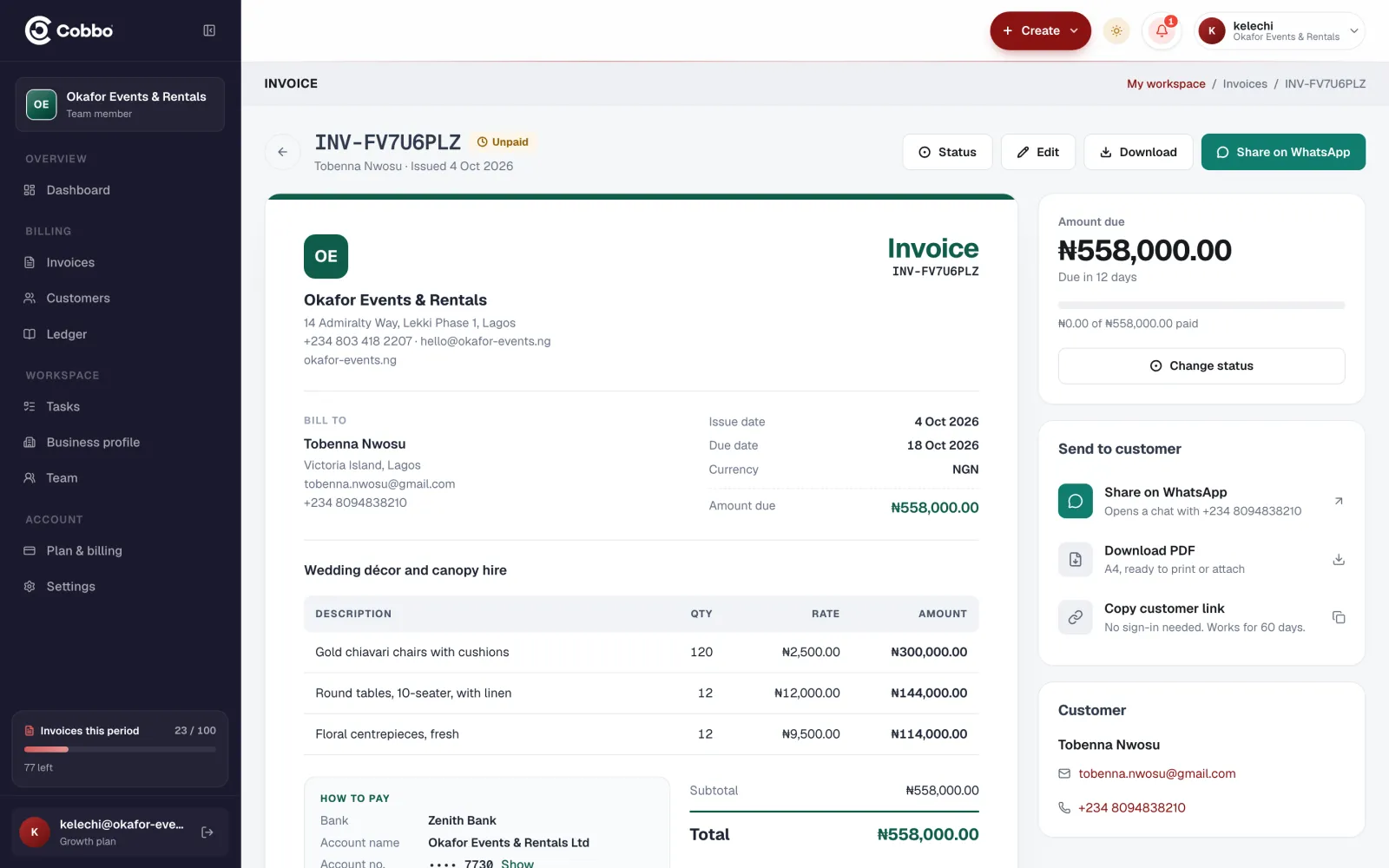
Add the customer, the items, tax and any discount. Your logo, signature and bank details are filled in for you.
Share it on WhatsApp with a secure link to the PDF, email it, or download it to send any way you like.
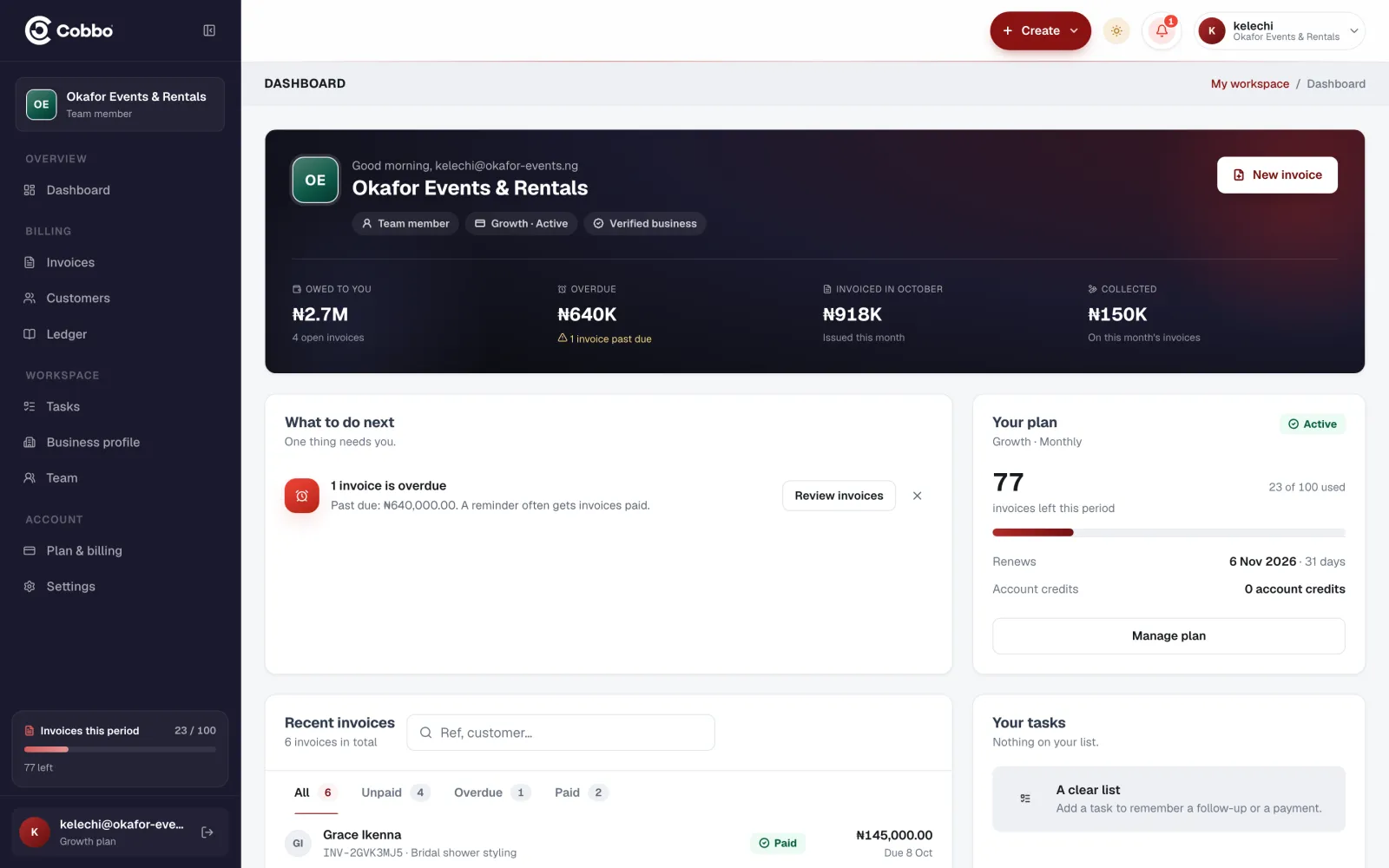
Mark it paid, part paid or refunded. The balance and progress update as money comes in.
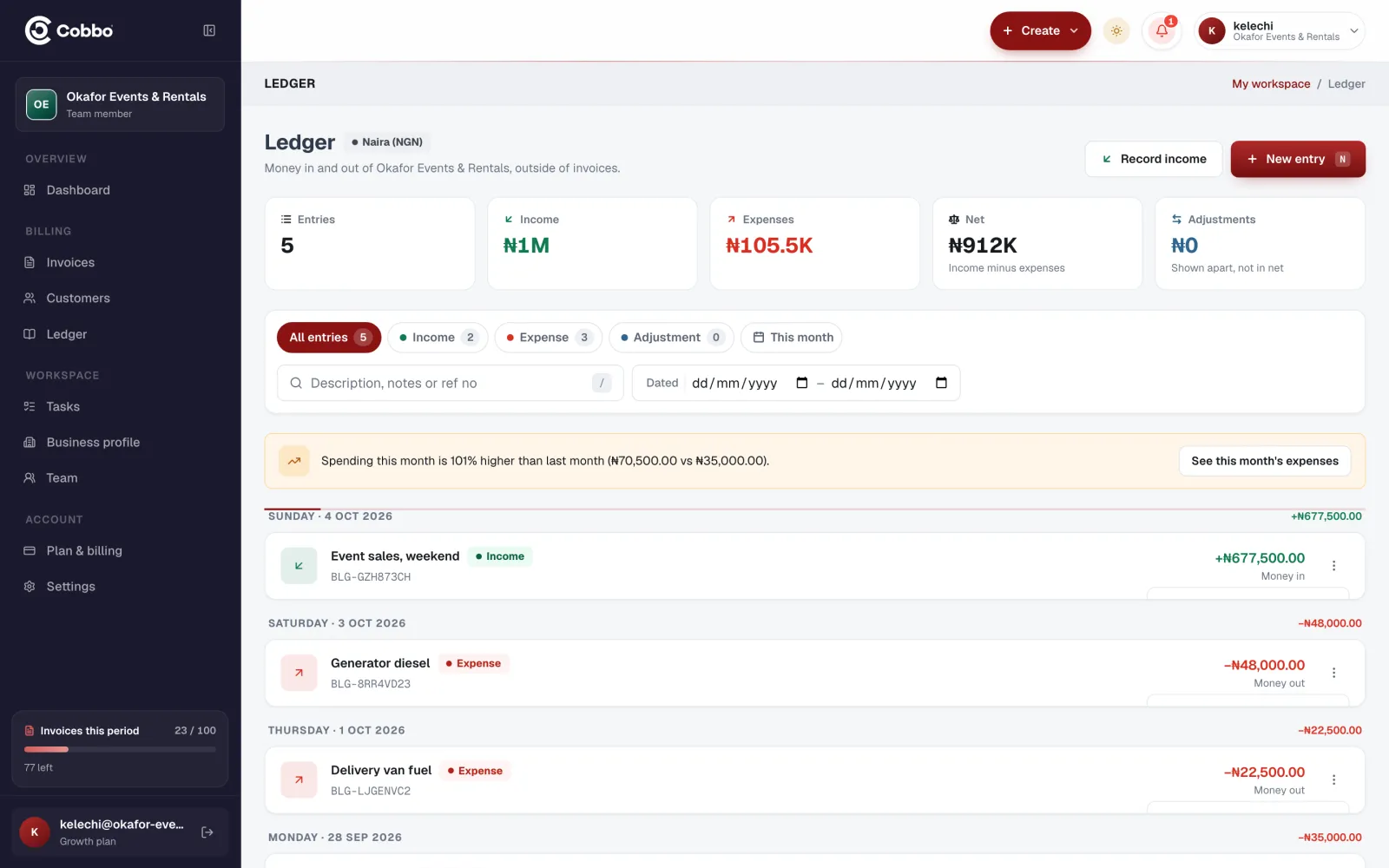
Every sale lands in your ledger next to your expenses, so you can see what the business actually made.
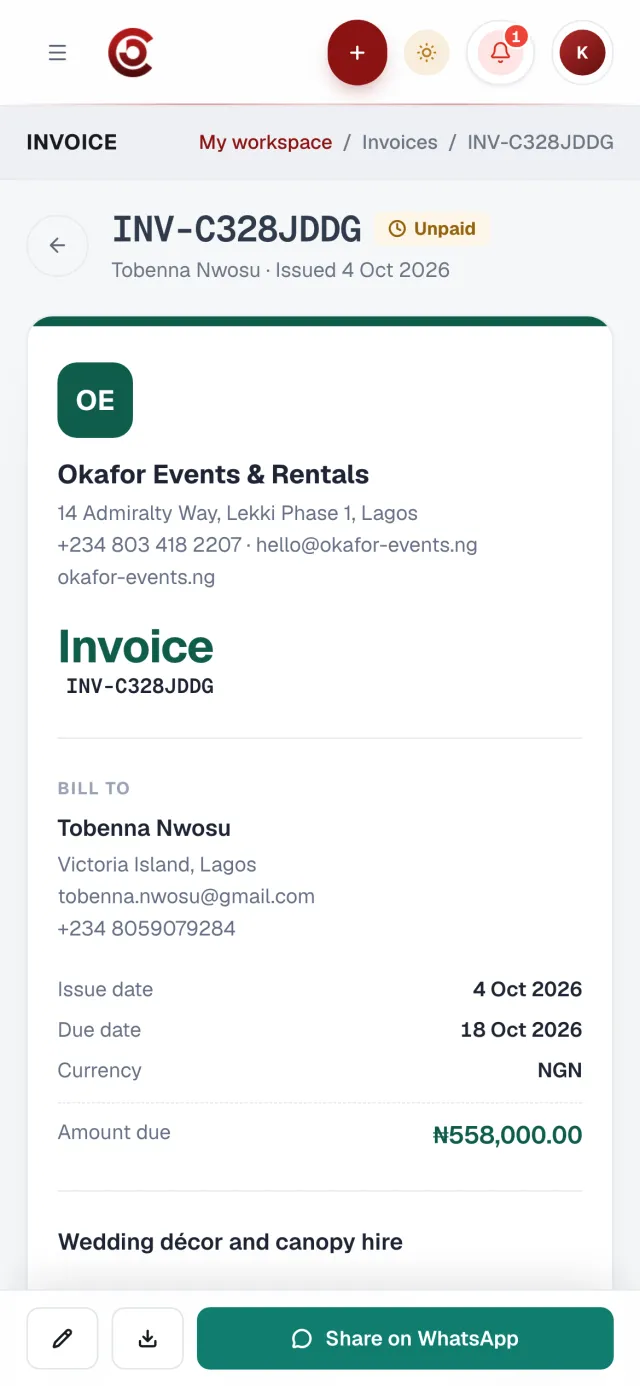
Your logo, the items, your bank details, and a QR code that opens the invoice online.
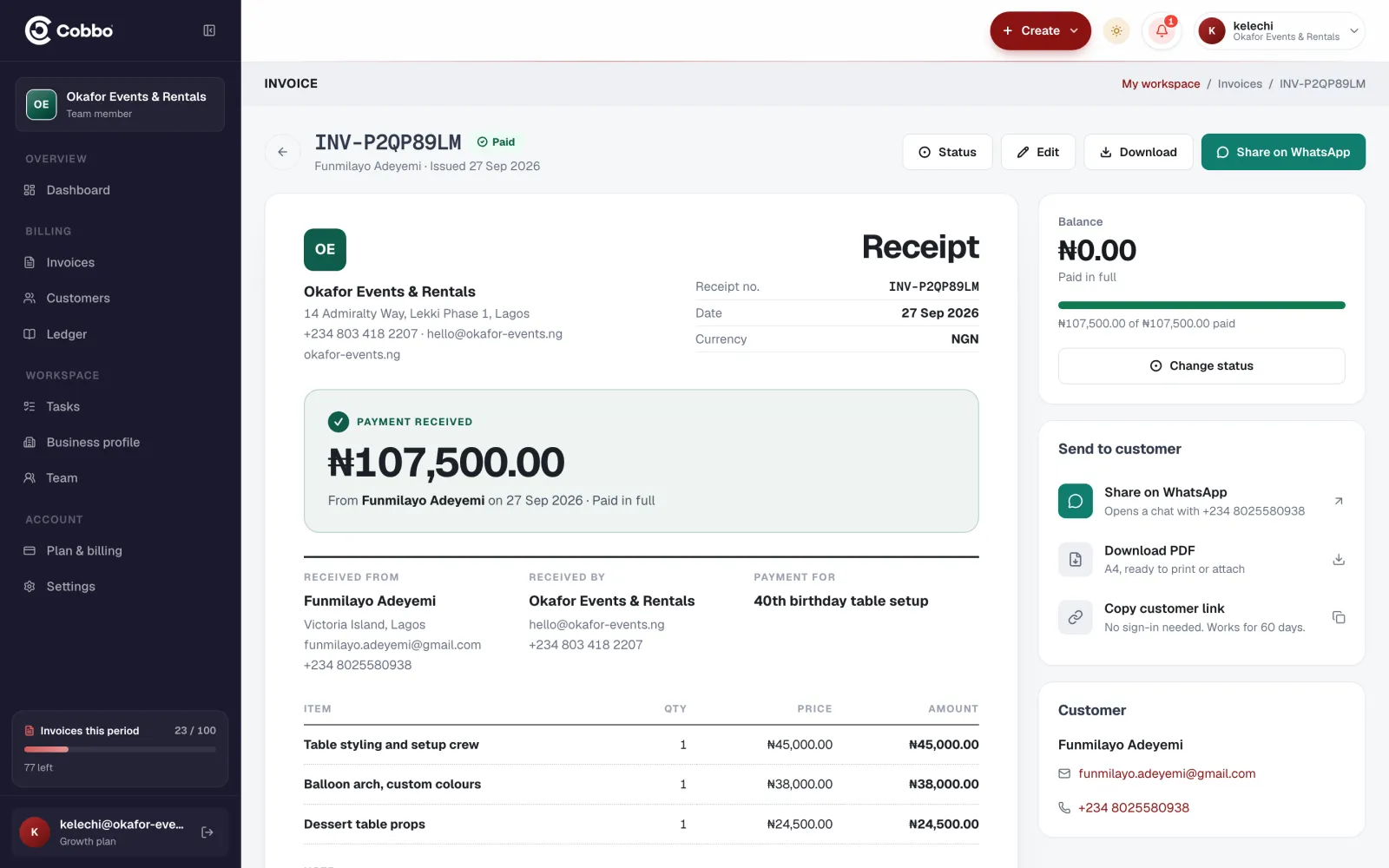
Mark it part paid or paid. The balance updates on the invoice and across your list.
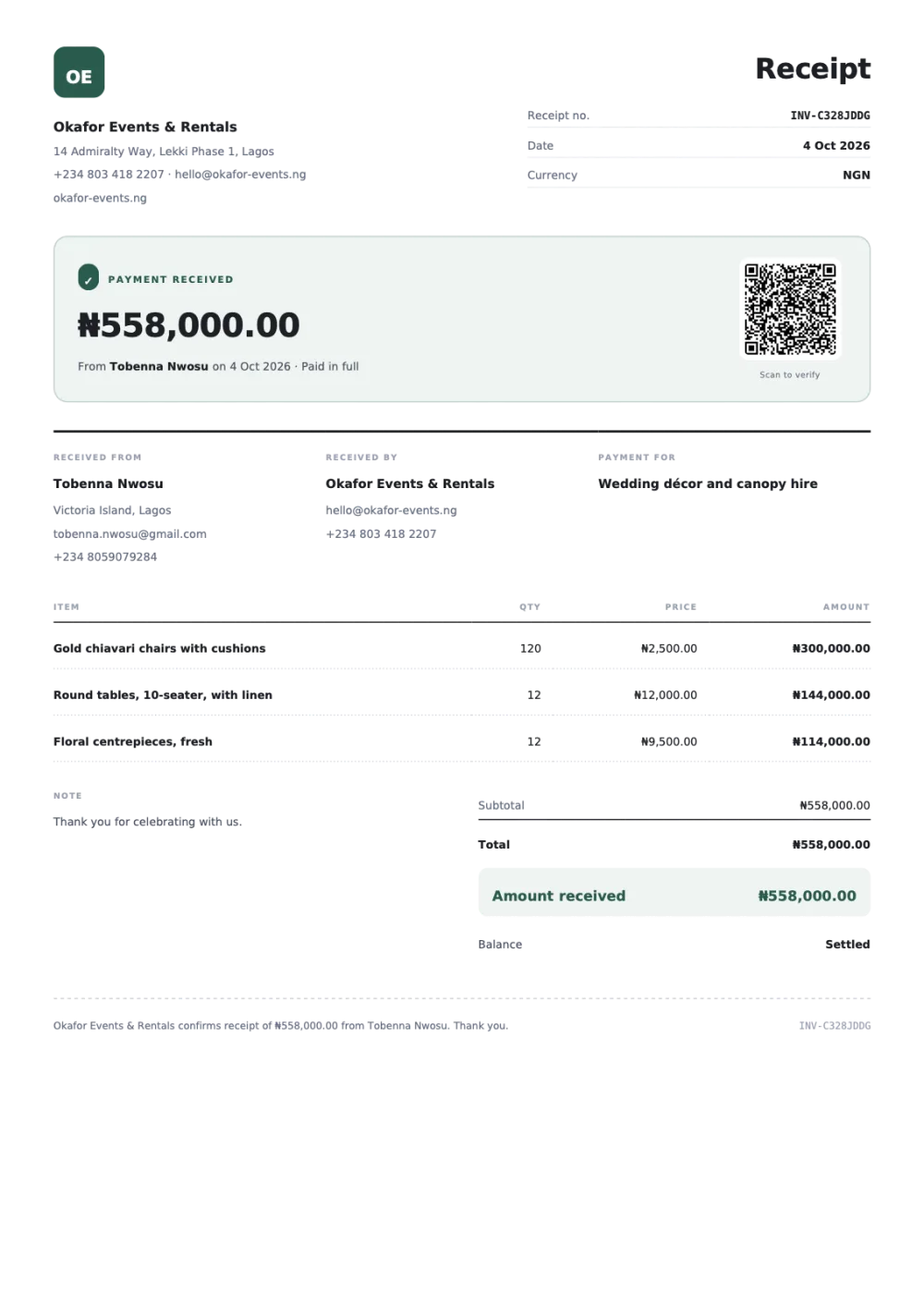
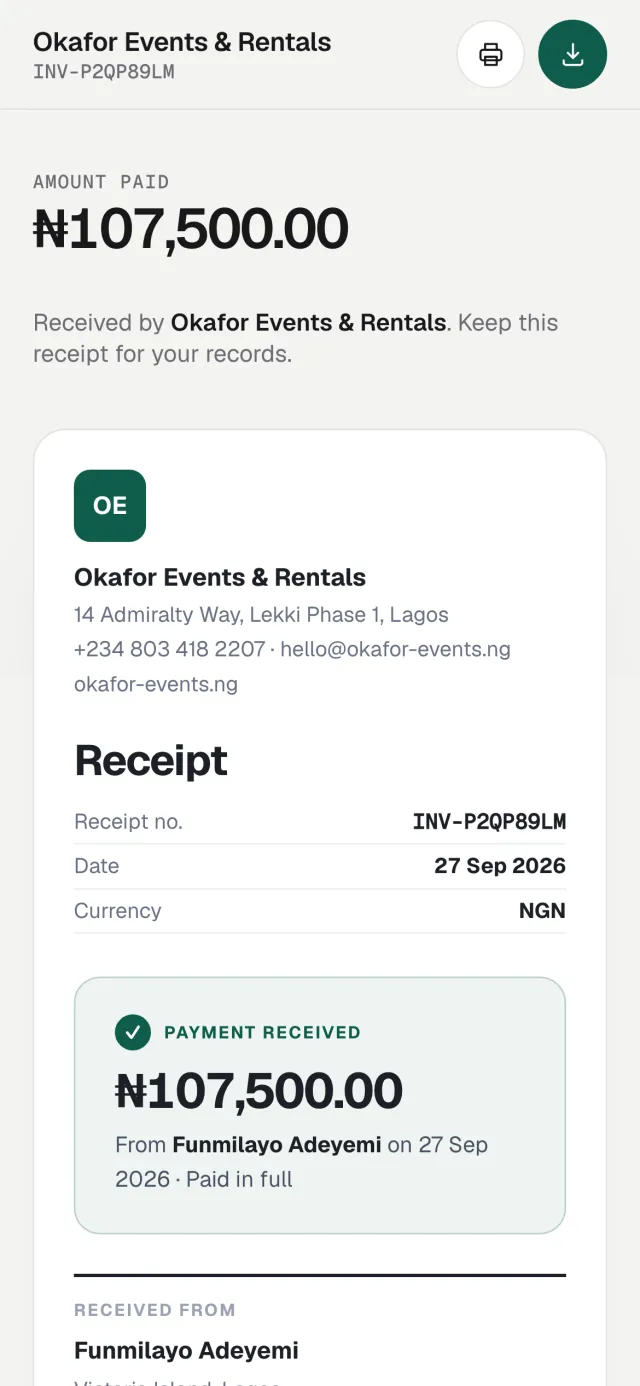
Issue it as a receipt and it leads with what was received, from whom, and anything still outstanding.
Logo, business details, signature and bank details, laid out on a clean A4 PDF your customers can trust.
WhatsApp, email, a PDF download or a link you copy. Customer links are signed and expire after 60 days.
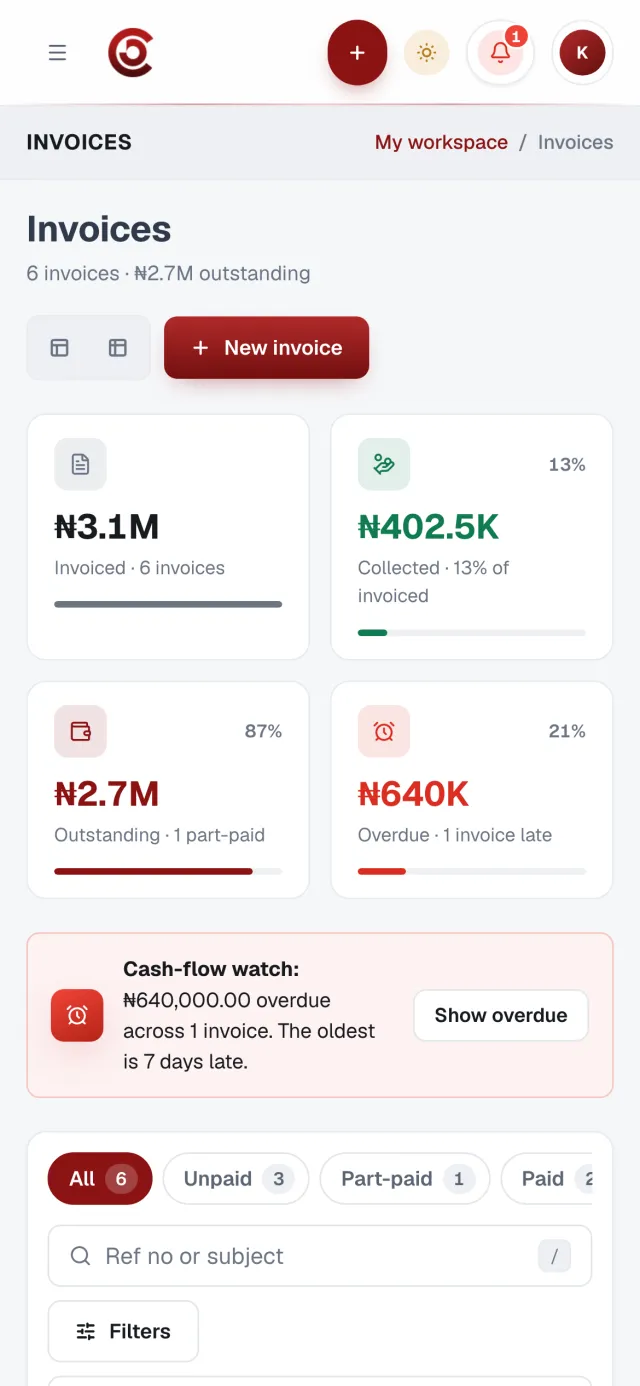
Paid, part paid, unpaid or refunded, with the balance on each invoice. Instalments are tracked as they arrive.
Record sales, purchases and corrections. Income, expenses and what you actually made, by day.
Invite staff to your business. Viewers can look without changing anything.
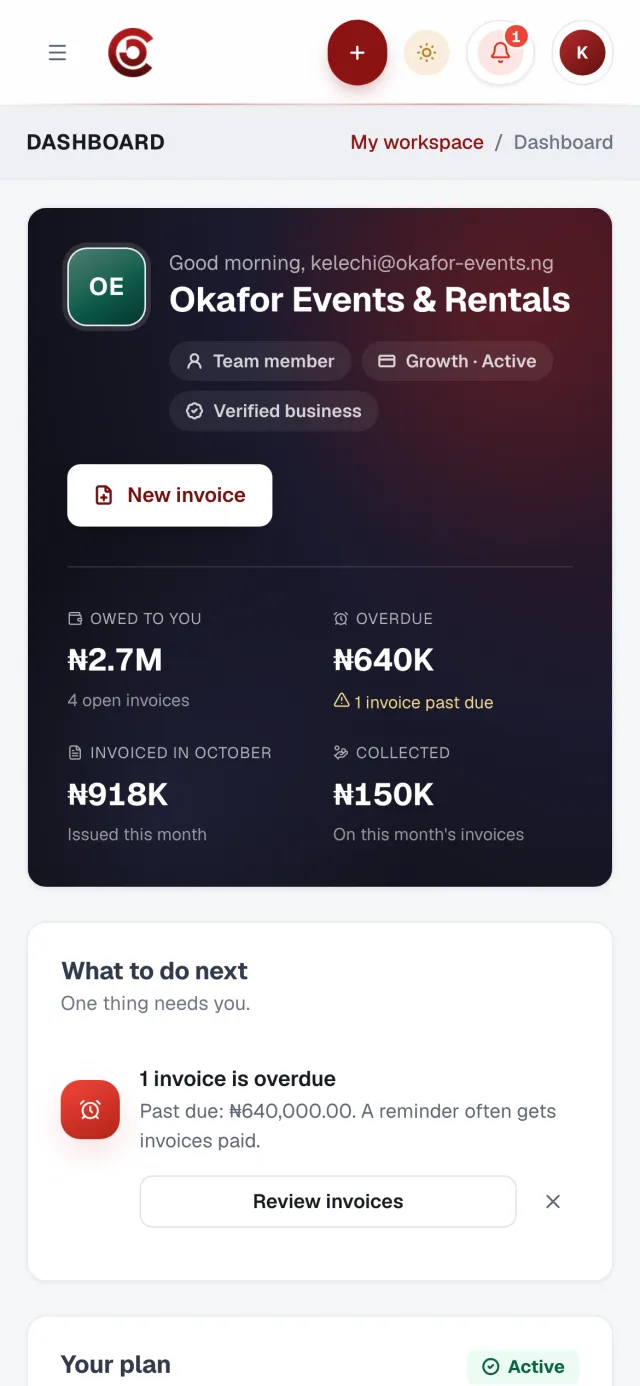
Real screens from Cobbo Invoicing, filled in for a sample events business.
Mobile app coming soon
We are building Cobbo Invoicing for iPhone and Android. Until it lands, everything works in your phone's browser today: create an invoice, send it on WhatsApp and see who has paid.
For sole traders sending their first professional invoices.
₦2,500/ month
₦24,000/ year ₦2,000 a month, billed yearly
Get startedMost popular
For growing businesses that want their books and team in one place.
₦6,500/ month
₦62,400/ year ₦5,200 a month, billed yearly
Get startedFor busy teams that never want to count invoices or seats.
₦15,000/ month
₦144,000/ year ₦12,000 a month, billed yearly
Get startedPrices in Nigerian naira. Payments are processed securely by Paystack.
No. Your customer receives a secure link that opens the invoice as a PDF. They do not sign up for anything.
Yes. One tap opens WhatsApp with a message and a link to the invoice ready to send to your customer's number.
Your logo, brand details and signature, line items with long descriptions, tax, discounts, a note to the customer, and the bank details they should pay into.
Every invoice has a status: unpaid, part paid (instalments), paid or refunded. The invoice list and each invoice show what has been paid and what is still owed.
Yes. Invite team members to your business. Viewers can see records without being able to change them. The number of seats depends on your plan.
Plans are paid securely through Paystack, monthly or yearly. You can see your plan, usage and payment history in Billing.
Yes. Share your referral link. When someone signs up with it and creates their business, you receive 5 invoice credits.
Cobbo Invoicing
Set up your business once, then every invoice takes a few taps.
Already have one? Log in